Business improvement
Work with a business process automation consultant.
Map one process, see where the time actually goes, and decide which steps are worth automating before you buy anything.
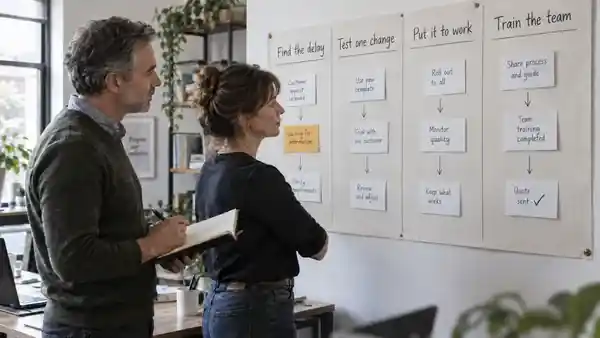
What a business process automation consultant does
A business process automation consultant looks at how a piece of work actually runs today. That means the people involved, the tools they open, the waiting between steps, and the corrections nobody counts.
The job is not to install software. It is to understand the process well enough to know which parts are worth changing at all.
Most processes have never been written down end to end. The first map is often the first time everyone involved sees the same picture.
Start with one process you already distrust
The best candidate is usually a task your team already complains about. Something recurring, with handoffs, where the finish time varies more than it should.
ZOYA begins with a single workflow rather than a department-wide programme. One process gives you a measurable before and after; a whole department gives you an opinion.
Variation is the useful signal. A task that takes twenty minutes one day and two hours the next is hiding a dependency worth finding.
Measure the whole task, including the checking
Automation moves work; it rarely deletes it. If a tool drafts something a person must then read and correct, that review time belongs inside the measurement.
ZOYA compares time spent, repeated work, quality, and full running costs. Tooling, review, maintenance and training all sit inside the same comparison.
Compare like for like. The same workflow, the same kind of input, measured the same way before and after the change.
Where automation helps, and where it does not
Repetitive, rule-shaped steps with clean inputs tend to automate well. Judgement-heavy steps, unclear ownership, and messy source data tend not to.
Sometimes the honest recommendation is to fix an input or a handoff and automate nothing. That is a legitimate result of the work, not a failed engagement.
Automating a broken process usually produces broken output faster. Sequence matters more than ambition here.
Work with the systems you already own
Most processes already run on tools you have paid for. A useful change often means connecting what exists, tightening a handoff, or removing a duplicate entry step.
Start with the simplest effective solution. Private models, knowledge assistants, custom agents and fine-tuning are distinct capabilities, used only when testing establishes a need.
What you can buy, one step at a time
The Operational Diagnostic maps one workflow, finds the delays and repeated work, and ranks improvements, including where AI could help. You can buy it alone and stop there.
The AI Business Case & Pilot examines one opportunity, compares options and full costs, then tests a bounded pilot before you commit further.
AI Workflow Design & Implementation connects useful tools with human review, documentation and named operational ownership. AI Enablement trains your team on their real tasks and reviews whether the change is still helping.
Each service is separately scoped. Every next step stays your decision.
Why measurement comes before tooling
A product demo shows the happy path. A measured process shows the exceptions, the rework, and the cost of being wrong.
Time released is capacity, not an automatic cash saving. Freed hours still need somewhere useful to go before they become a financial result.
Questions worth bringing to the first conversation
Which step in this process causes the most waiting? Where do corrections come from, and who notices them first?
What would have to be true for this to be worth automating? If the tool is wrong, who catches it, and what does that cost?
Who owns this process after the change ships? An improvement without an owner tends to drift back to where it started.
Start with one workflow.
The free 30-minute review covers a single workflow. You leave with a brief map of how the work runs today and a recommendation for a sensible next step.
There is no report at that stage. The full diagnostic, pilot, implementation and training are separately scoped.
See where the process time actually goes.
Expected Illustrative working assumptions; adjust to your task.
- Doing the work
- 12 minutes / task
- Waiting for input
- 9 minutes / task
- Corrections
- 6 minutes / task
- Approvals
- 4 minutes / task
Change the inputs